Sotech Learn
An on-premises learning management system for universities and organizations: course content, SCORM and video, live class scheduling and attendance, timed exams with a question bank, catalog trainings, reports and a mobile app on one platform. Content produced in Sotech Studio comes straight in as course content.
About the Product
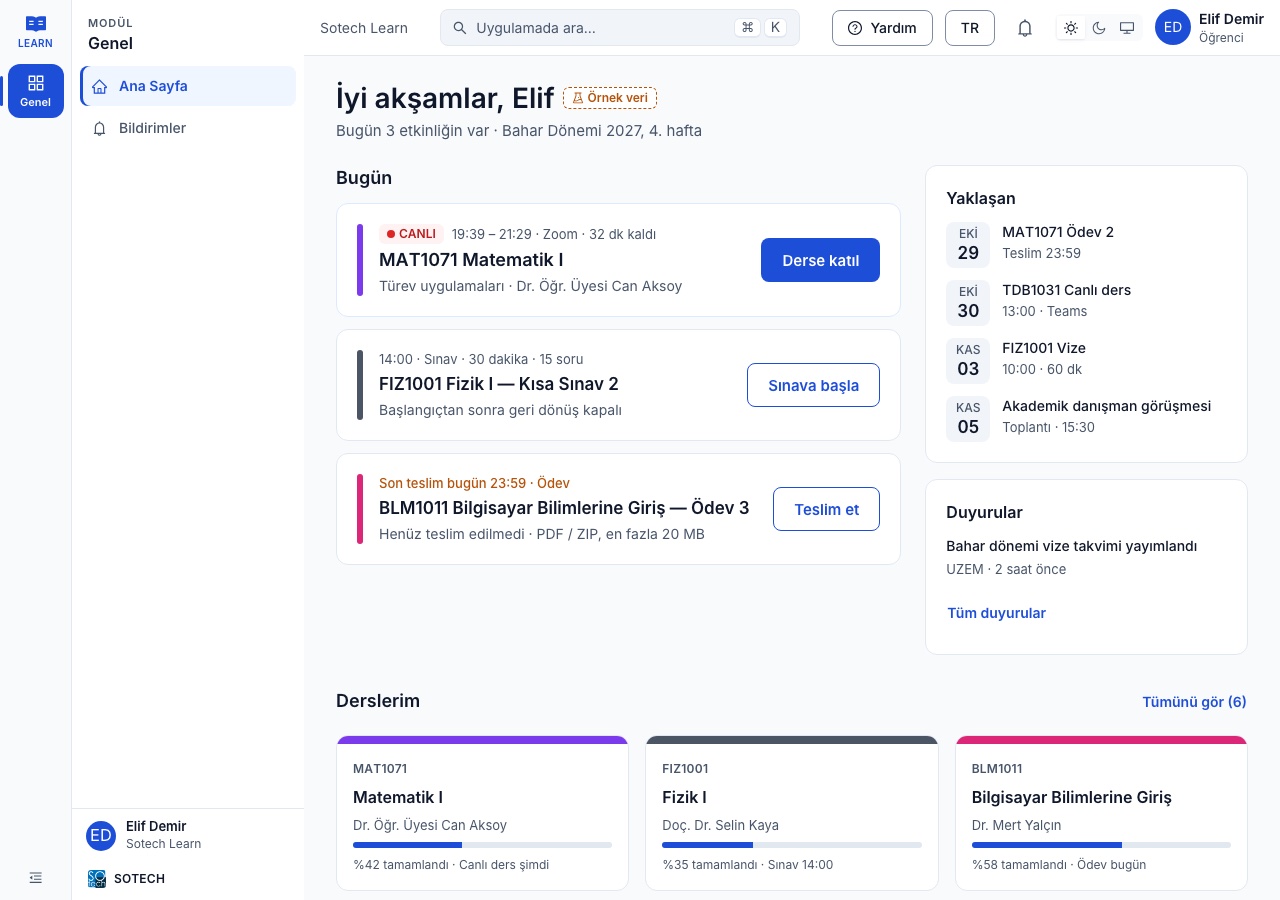
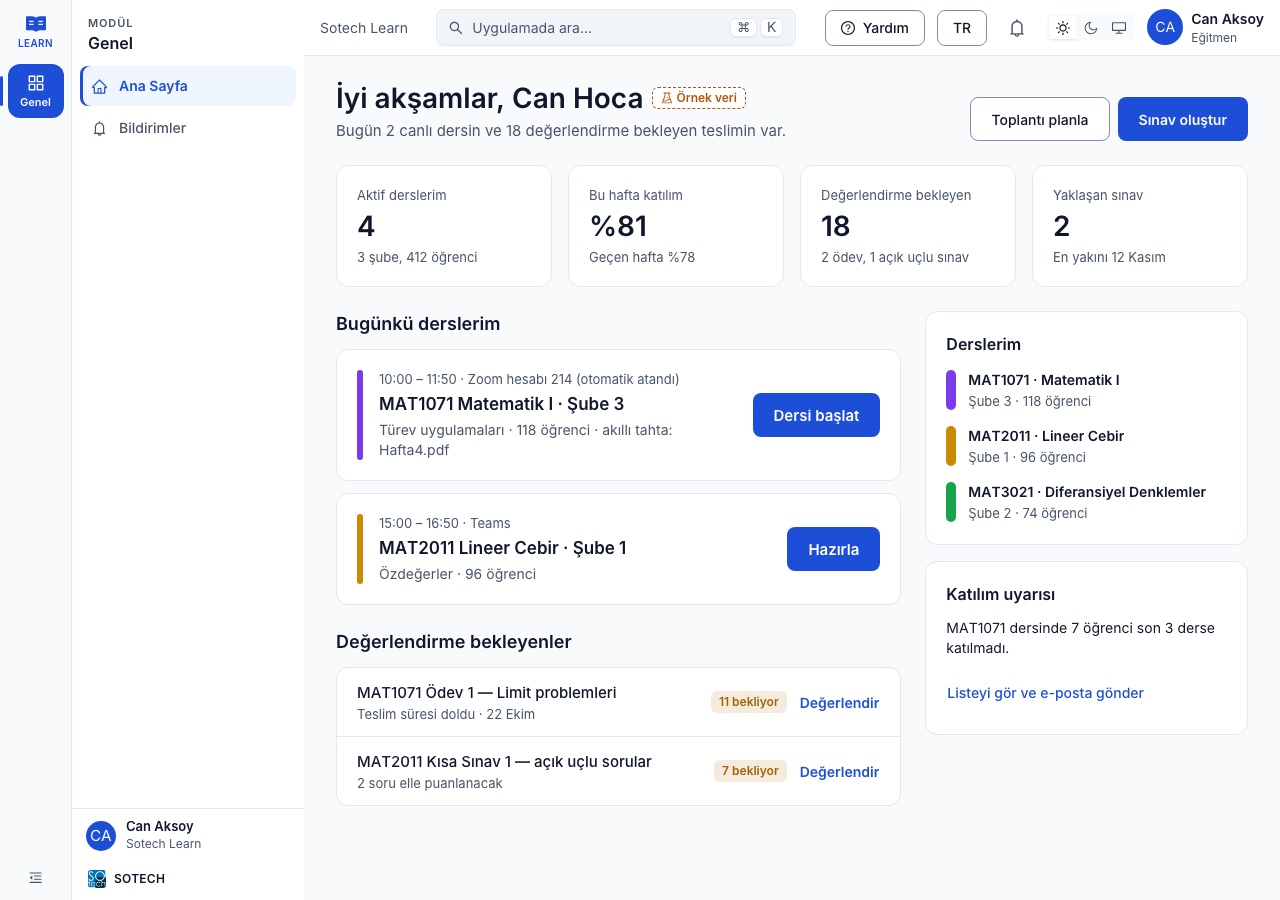
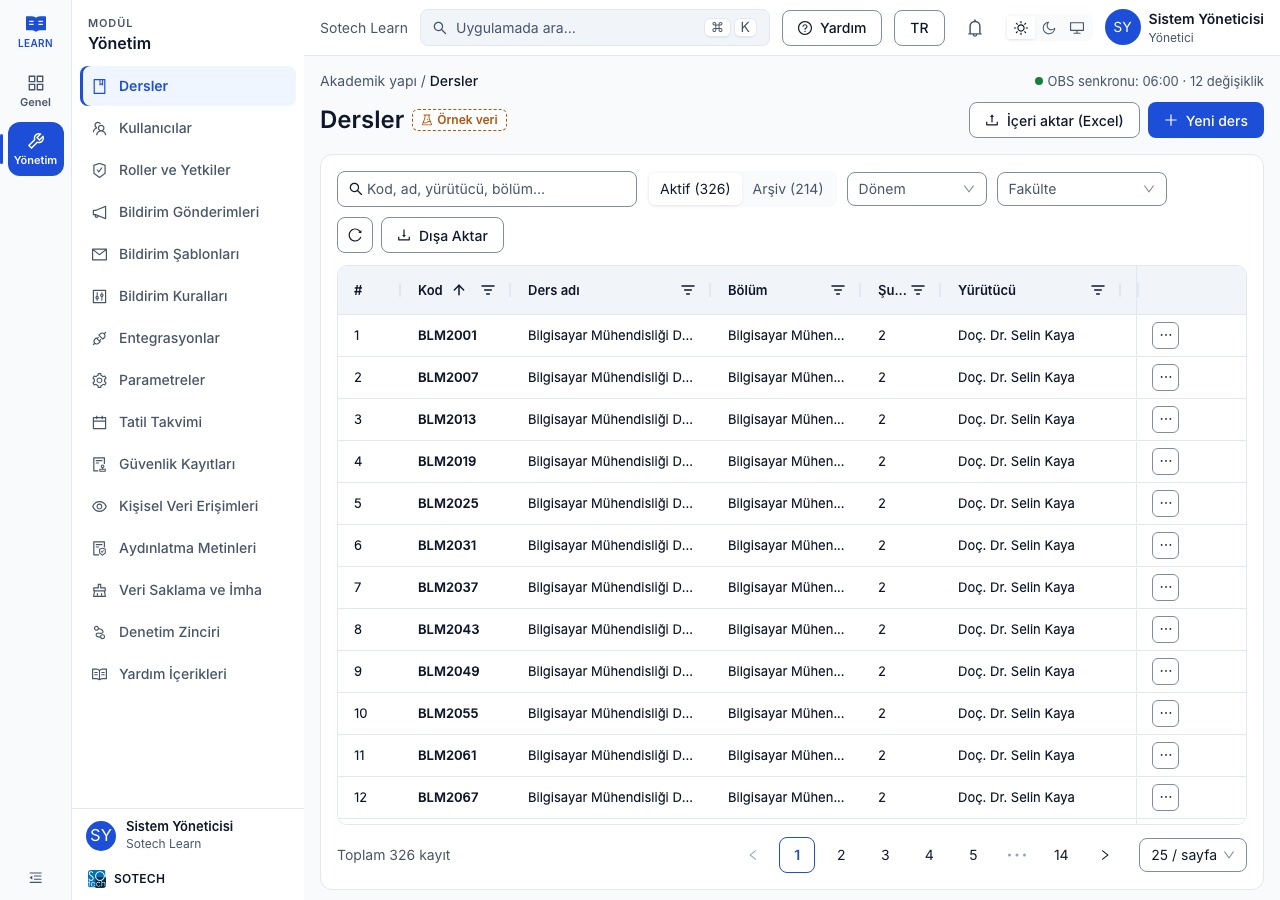
Sotech Learn is a learning management system that runs an organization's distance and blended education on one platform. It is built on terms, faculties, departments, courses and sections; every course opens with content, wall, documents, exams and assignments, live classes and attendance tabs. Students see today's live class, upcoming exam and due assignment together on their home page; instructors start classes, create exams and track submissions awaiting grading from their own dashboard.
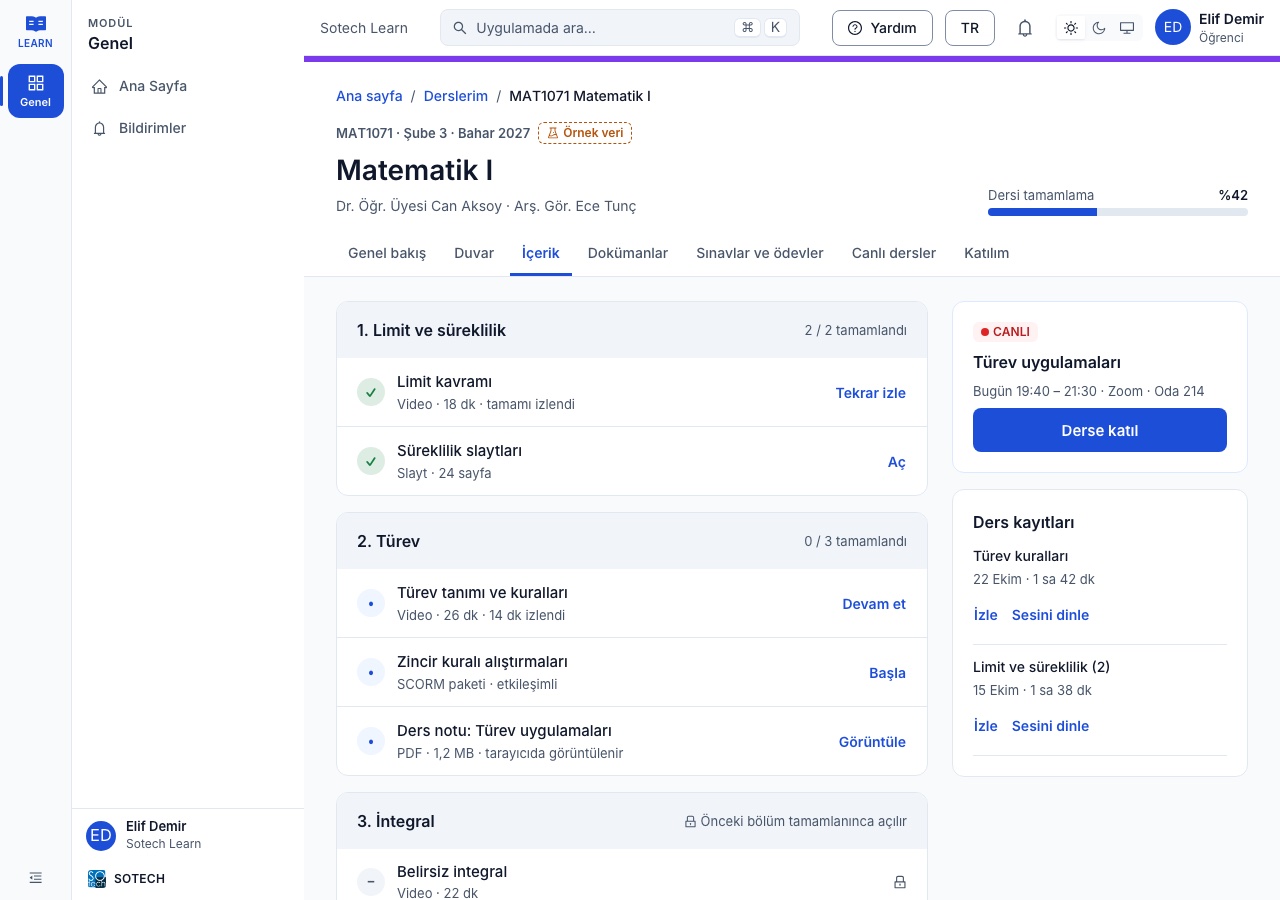
Course content is made of slides, video, audio, images, text, SCORM 1.2/2004 and HTML packages, YouTube, links and documents. Videos are converted for streaming playback after upload, large files are uploaded in parts, Office documents are viewed in the browser, and every uploaded file is virus-scanned. Sections can open in sequence: the next topic stays locked until a section or SCORM package is passed. The exam service offers a question bank with seven answer types, timed exams, booklets, real-time time extensions, a proctor screen, automatic and manual grading and item analysis.
Sotech Learn works together with Sotech Studio: narrated, quiz-based training content produced with AI in Studio is added to a course as a SCORM package, and score, progress and resume point are recorded in Learn. When the API connection is enabled, the Studio catalog is browsed from inside Learn, content is brought in as course content through a wizard, its version is tracked and administrators are notified when it is updated in Studio. The learning infrastructure was also used in Diyalekt, the language learning platform developed by Sotech.
The platform is installed on the organization's own servers, so personal data never leaves the organization. A tamper-proof audit log, a personal data access log, retention and destruction workflows and a web application firewall are built in to meet data protection and information security requirements.
Key Features
Content produced in Studio is added to a course as a SCORM 1.2 or 2004 package; score, progress, answers and the resume point are recorded in Learn, and a pass requirement can be tied to topic locking. When the API connection is enabled, the Studio catalog is searched from inside Learn and content is brought in through a wizard; package integrity is verified, its source and version are recorded, and administrators are notified when it is updated in Studio.
SCORM · API · version trackingSlides, video, audio, images, text, SCORM, HTML packages, YouTube, links and documents are organized into sections. PowerPoint and PDF are imported as slides, and Office documents are viewed in the browser. Sections can open in sequence, and content is carried over from one term to the next.
10 content typesUploaded videos are converted for streaming playback in the browser; large files are uploaded in parts. Viewing progress is kept per student, and every uploaded file is virus-scanned.
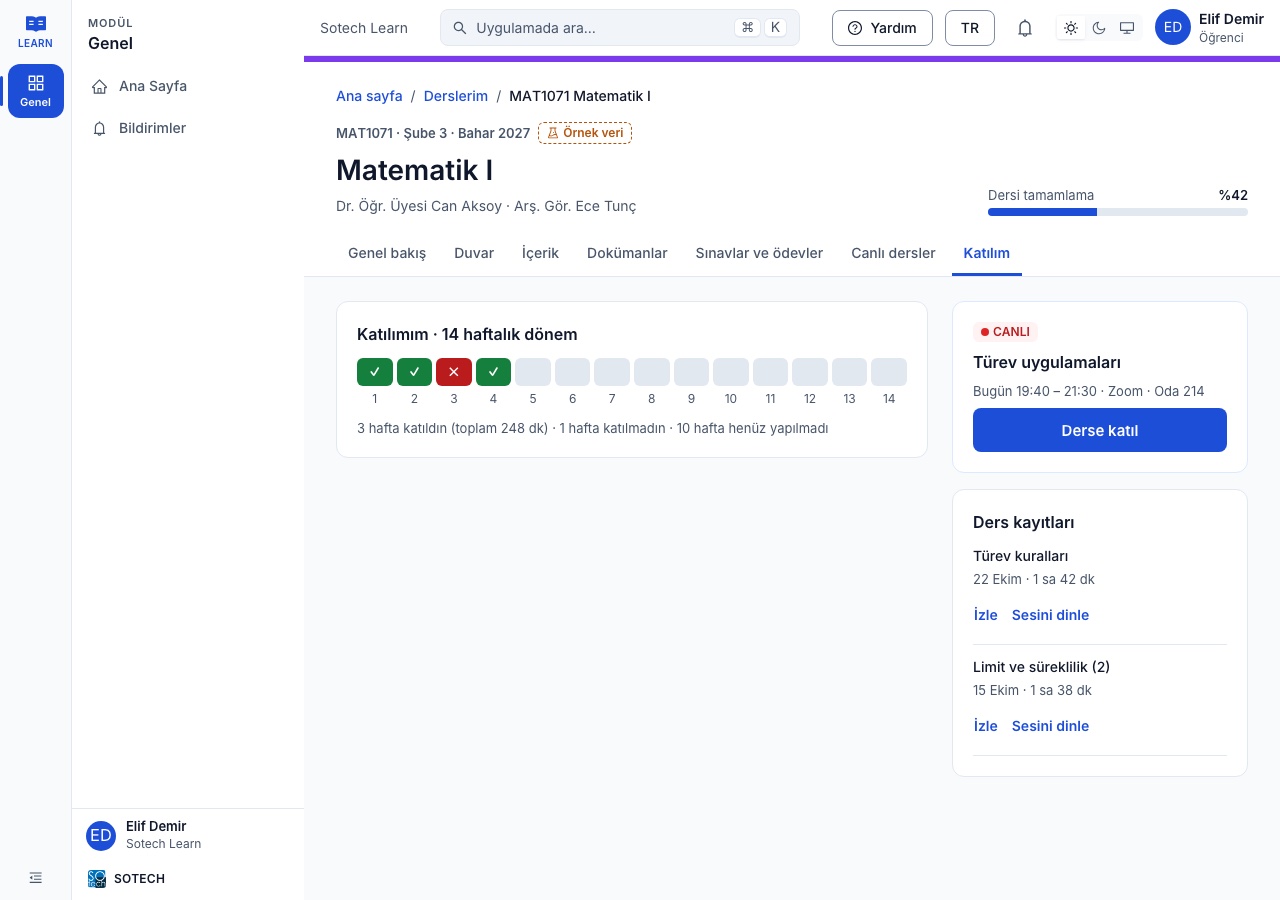
streaming · multipart upload · virus scanThe class schedule is derived from the academic calendar and holidays, and meeting accounts are assigned to classes automatically. Instructors start the class from their dashboard and students join with one click; attendance is tracked weekly, recordings can be watched or listened to, and the schedule is available as a calendar file. A connection layer is provided for Zoom, Microsoft Teams and BigBlueButton.
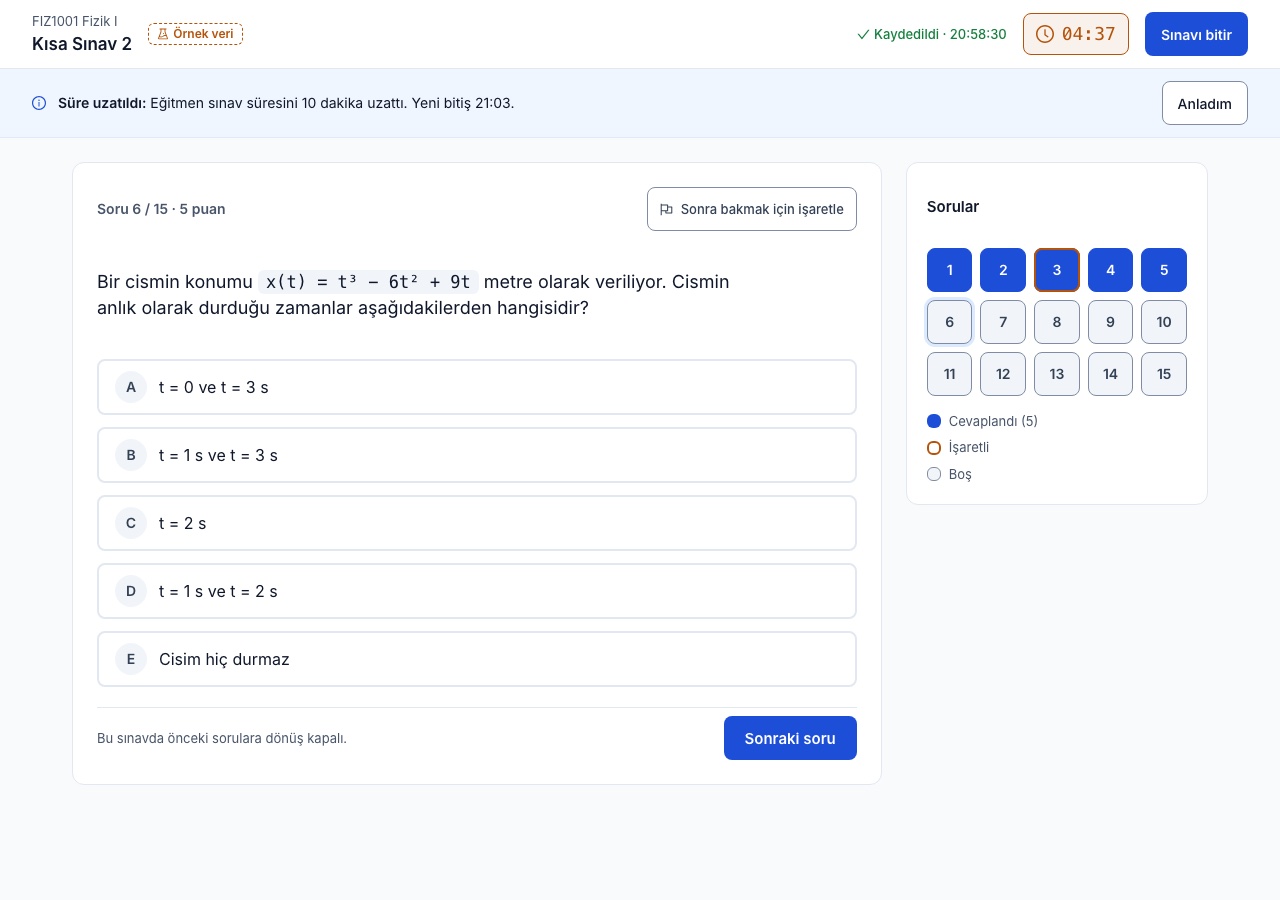
schedule · attendance · recording · calendarSingle choice, multiple choice, open-ended, file, ordering, fill-in-the-blank and matching questions; question stems can include images, audio, video or a region cropped from a PDF. Timed exams support booklets, no-going-back rules, autosave and real-time time extensions, and a proctor screen monitors sessions live.
7 answer types · booklets · proctorClosed questions are graded automatically while open-ended and file answers are graded manually; results are published, and item analysis and Excel exports are available. Assignments and surveys run on the same service, and students can be moved between exams.
grading · item analysis · ExcelTrainings with a defined audience are published in a catalog; applications go through approval and the waiting list advances in order when the quota is full. Participants who meet the completion criteria receive a PDF certificate with a verification code.
enrollment · quota · certificateManagement dashboard, assessment, instructor activity, section and student reports; every user sees their own reports. The instructor dashboard highlights attendance warnings and submissions awaiting grading.
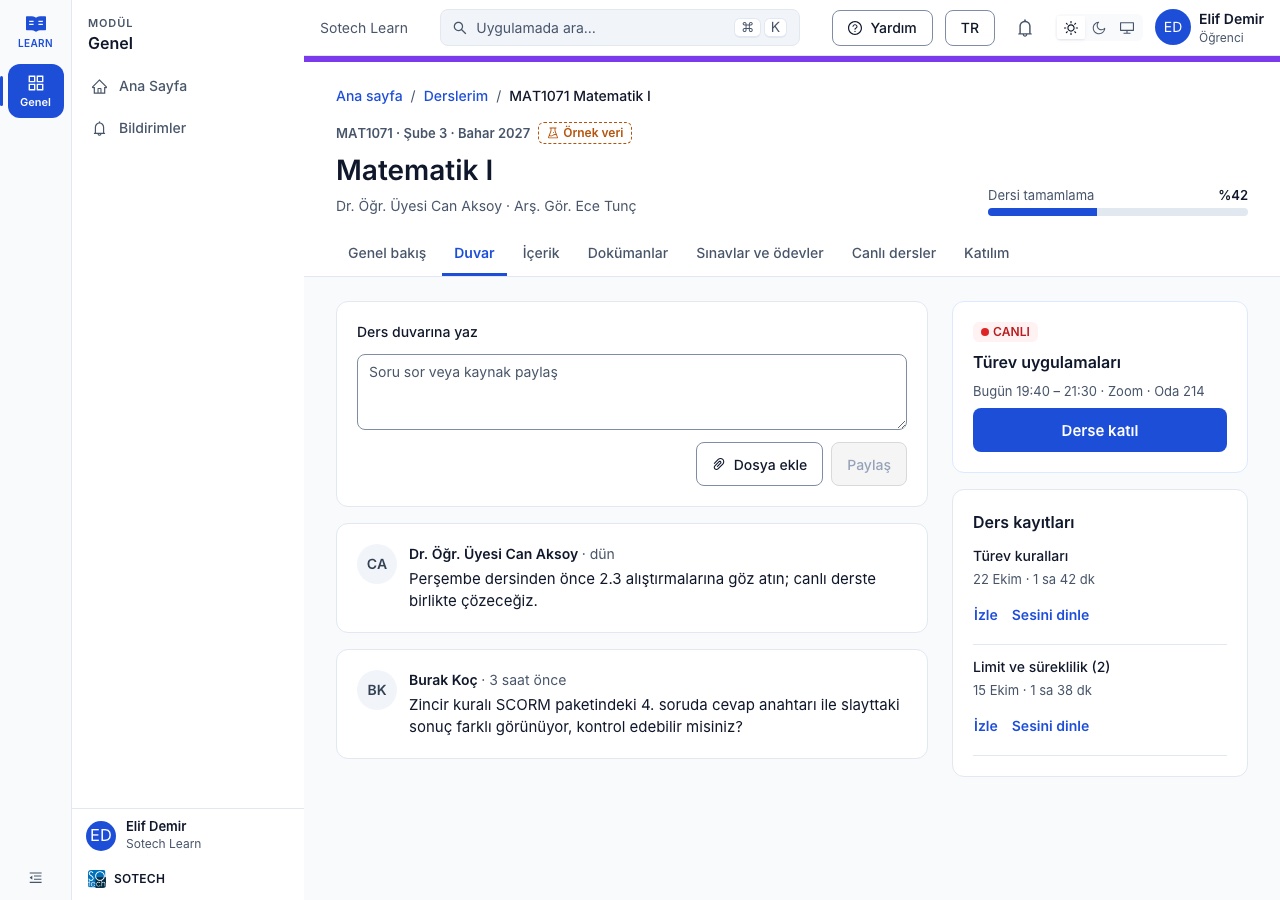
dashboard · section · studentQuestions and resources are shared on the course wall; real-time one-to-one and section channels run with moderation. Announcements, in-app notifications, templated e-mails and bulk messaging are managed from the admin panel.
wall · messages · announcements · e-mailThe native mobile app includes my courses, content and video, calendar, notifications, announcements, messages, documents, exam results, surveys and reports.
iOS · AndroidThe interface is built to WCAG 2.1 AA criteria and passes automated accessibility scans without critical violations in both light and dark themes. The interface is available in Turkish and English; content pages support right-to-left scripts including Arabic.
WCAG 2.1 AA · TR/ENInstalled on the organization's servers, with e-mail verification codes at sign-in, administrator-defined roles and permissions, a web application firewall, a tamper-proof audit chain, a personal data access log, privacy notices, retention and destruction workflows and encryption of sensitive fields. Daily, weekly and monthly backups and restore scripts ship with the installation.
on-premises · audit · data protectionAdditional Modules
How It Works
- 01Install — your servers
The platform is installed on your servers; academic structure and users are imported, and roles and permissions are defined.
- 02Prepare — course content
Instructors add video, slides, documents and SCORM, or bring in content produced in Sotech Studio.
- 03Teach — live classes and content
Live classes start from the schedule, attendance and recordings are kept automatically, and students progress through content in sequence.
- 04Assess — exams and assignments
Timed exams are built from the question bank, monitored from the proctor screen, then graded and analyzed.
- 05Track — reports
Administrators, instructors and students see their own reports; attendance and achievement are tracked across the organization.
Who It's For
Run term- and section-based courses, live classes and exams on one platform while keeping data on your own servers.
Run catalog trainings with approved enrollment, quotas and verifiable certificates, and publish content you produce in Sotech Studio directly.
Set up a learning platform where personal data never leaves the organization, with built-in audit logs and retention workflows.
Technical Summary
- Deployment
- Dedicated on-premises installation; single-command install and update, scalable architecture with separate tiers
- Content standards
- SCORM 1.2, SCORM 2004, HTML packages; PowerPoint/PDF slide import, Office document viewing
- Studio integration
- Directly via SCORM packages; optional API connection for catalog import, integrity verification, version tracking and update notifications
- Live classes
- Connection layer for Zoom, Microsoft Teams and BigBlueButton; calendar file (ICS)
- Data import
- Excel import for academic structure and courses; integration layer for synchronizing with the student information system
- Outputs
- Excel reports, PDF certificates with verification codes
- Identity and access
- Sign-in with e-mail verification codes; administrator-defined roles and permissions; separate mobile sessions
- Accessibility and language
- WCAG 2.1 AA; Turkish and English interface, Arabic and right-to-left support in content pages
- Security and data protection
- Web application firewall, tamper-proof audit chain, personal data access log, retention and destruction, field-level encryption, virus scanning
- Backup
- Daily incremental, weekly full, monthly archive; at least 3 months of retention; restore scripts
- Platforms
- Web (light and dark theme), iOS and Android app
App Screenshots
Frequently Asked Questions
How does Sotech Learn work with Sotech Studio?
Narrated, quiz-based training content produced in Sotech Studio is added to a course in Sotech Learn as a SCORM 1.2 or 2004 package; score, progress, answers and the resume point are recorded on the learner's record, and a pass requirement can unlock the next topic. When the API connection is enabled, the Studio catalog is searched from inside Learn, content is brought in through a wizard, its version is tracked, and administrators are notified when it is updated in Studio.
Does Sotech Learn run in the cloud or on our own servers?
Sotech Learn is installed on the organization's own servers, so personal data never leaves the organization. Installation and updates run with a single command, and daily incremental, weekly full and monthly archive backups plus restore scripts ship with the installation.
Which question types and exam features does Sotech Learn offer?
The question bank has seven answer types: single choice, multiple choice, open-ended, file, ordering, fill-in-the-blank and matching; question stems can include images, audio, video or a region cropped from a PDF. Timed exams support booklets, no-going-back rules, autosave and real-time time extensions; a proctor screen monitors sessions live, and item analysis and Excel exports are available after grading.
What is Sotech Learn?
An on-premises learning management system for universities and organizations: course content, SCORM and video, live class scheduling and attendance, timed exams with a question bank, catalog trainings, reports and a mobile app on one platform. Content produced in Sotech Studio comes straight in as course content.
Who is Sotech Learn for?
Universities and distance education centers: Run term- and section-based courses, live classes and exams on one platform while keeping data on your own servers. Corporate training units: Run catalog trainings with approved enrollment, quotas and verifiable certificates, and publish content you produce in Sotech Studio directly. Public institutions: Set up a learning platform where personal data never leaves the organization, with built-in audit logs and retention workflows.
How does Sotech Learn work?
1. Install — your servers — The platform is installed on your servers; academic structure and users are imported, and roles and permissions are defined. 2. Prepare — course content — Instructors add video, slides, documents and SCORM, or bring in content produced in Sotech Studio. 3. Teach — live classes and content — Live classes start from the schedule, attendance and recordings are kept automatically, and students progress through content in sequence. 4. Assess — exams and assignments — Timed exams are built from the question bank, monitored from the proctor screen, then graded and analyzed. 5. Track — reports — Administrators, instructors and students see their own reports; attendance and achievement are tracked across the organization.
Which systems and standards does Sotech Learn work with?
Deployment: Dedicated on-premises installation; single-command install and update, scalable architecture with separate tiers. Content standards: SCORM 1.2, SCORM 2004, HTML packages; PowerPoint/PDF slide import, Office document viewing. Studio integration: Directly via SCORM packages; optional API connection for catalog import, integrity verification, version tracking and update notifications. Data import: Excel import for academic structure and courses; integration layer for synchronizing with the student information system. Outputs: Excel reports, PDF certificates with verification codes. Identity and access: Sign-in with e-mail verification codes; administrator-defined roles and permissions; separate mobile sessions.
Benefits
- Courses, exams and live classes on one platform
- Content produced in Studio in your course within minutes
- Data stays on your own servers
- The same course experience on web and mobile
Turn institutional knowledge into narrated, visual and interactive experiences: generate voiced, subtitled training content with quizzes from a document or a short brief, edit it scene by scene, and publish as MP4, SCORM, embed code or a share link.
Projects delivered with this product
Other Products

GeoEner — Investment & Maintenance Management System
A platform that digitalizes asset, investment and maintenance management end-to-end for electricity distribution and energy companies, with geographic information system (GIS) support.
Explore Product
GEONIVA — Drone and AI Grid Inspection
Generates drone missions from work orders, scans drone and field photos with AI, links each finding to the right grid equipment and writes approved findings into the maintenance form. Known in GeoEner as Inspection Management, it is the inspection module of the GEOENER family.
Explore ProductGeoEner PQM — Power Quality Management Software
Continuously monitors voltage sags, harmonics, flicker and unbalance; automatically audits against EN 50160 and regulatory power quality criteria, and produces audit-ready reports.
Explore ProductLet's start your digital transformation together
Reach out today to discuss your project with our expert team.